Desktop DICOM Workstation

From sight
to insight.

A professional radiology workstation that runs entirely on your machine. View DICOM studies, dictate reports, and consult an on-device AI — without sending a single pixel to the cloud.

macOS · Windows · Linux  ·  ~3.5 GB first-run download  ·  no account to install
Kantrad — Chest CT (PE protocol)
Kantrad workstation showing a CT study with annotations and a structured report
Capabilities

Everything a radiologist needs

One privacy-first desktop application — viewer, reporter, dictation, and AI.

DICOM Viewer

Full DICOM standard support — X-Ray, CT, MRI, PET. Stack scrolling, windowing, MPR, MIP, 3D rendering, and cine playback.

Annotations & Measurements

Length, area, angle, ellipse, arrow, probe, and pixel-spacing calibration. All annotations auto-saved per-series.

Structured Reports

Rich-text editor with clinical sections — Findings, Impression, Technique, Comparison. Templates per modality and PDF / FHIR export.

On-Device AI

Vision models run locally — image analysis, impression suggestions, and a study-aware chat that never leaves your machine.

Voice Dictation

Whisper-powered offline dictation directly into the report editor. Voice commands for navigation and section jumps.

Organ Segmentation

Optional MONAI Label plugin runs the Whole-Body and Spleen models on-device. Mask overlays sync into your report.

PACS / DICOMweb

Connect to QIDO-RS / WADO-RS servers. Search by patient, accession, or modality, and pull series on demand.

Privacy by Design

No telemetry, no analytics, no accounts for image data. SQLCipher at-rest encryption and HIPAA audit log built in.

Inside Kantrad

Built for the reading room

Workflows pulled straight from how radiologists actually work — comparison, analysis, and reporting in one screen.

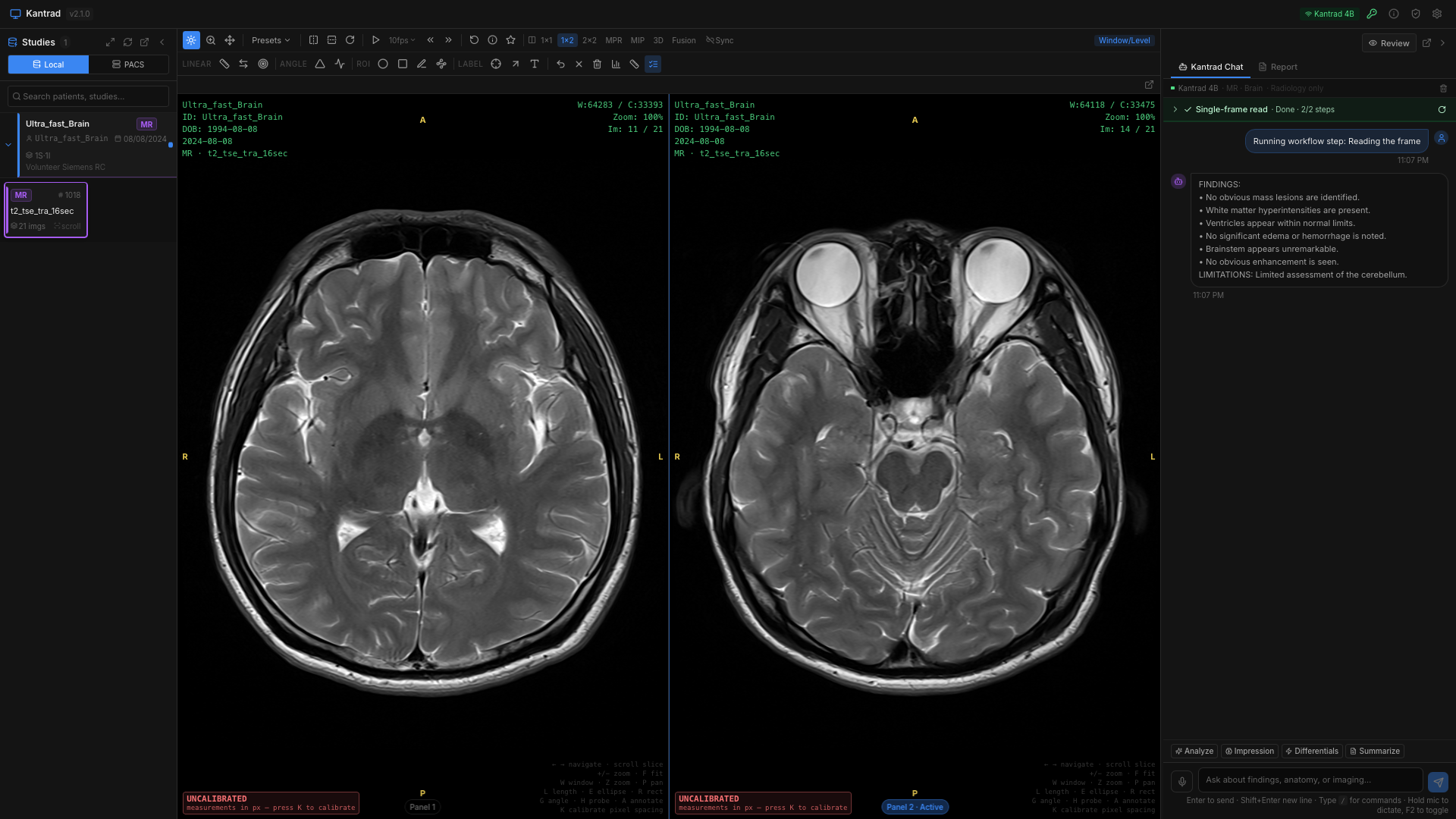
Multi-viewport

Compare prior & current at a glance

Single, side-by-side, 2×2, MPR, MIP, 3D, and PET-CT fusion layouts. Synchronised scrolling and windowing across viewports.

Multi-viewport
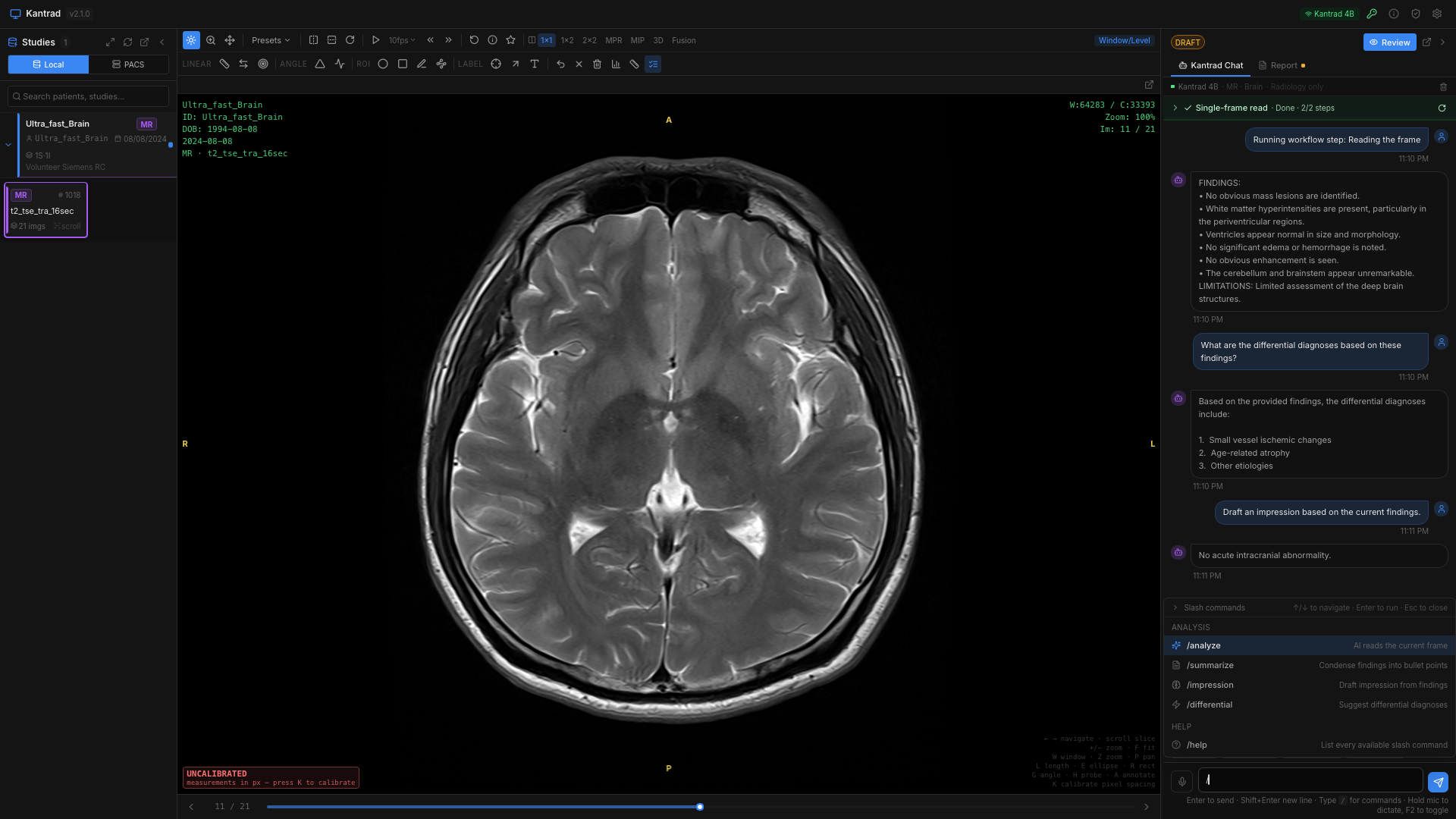
Study-aware AI

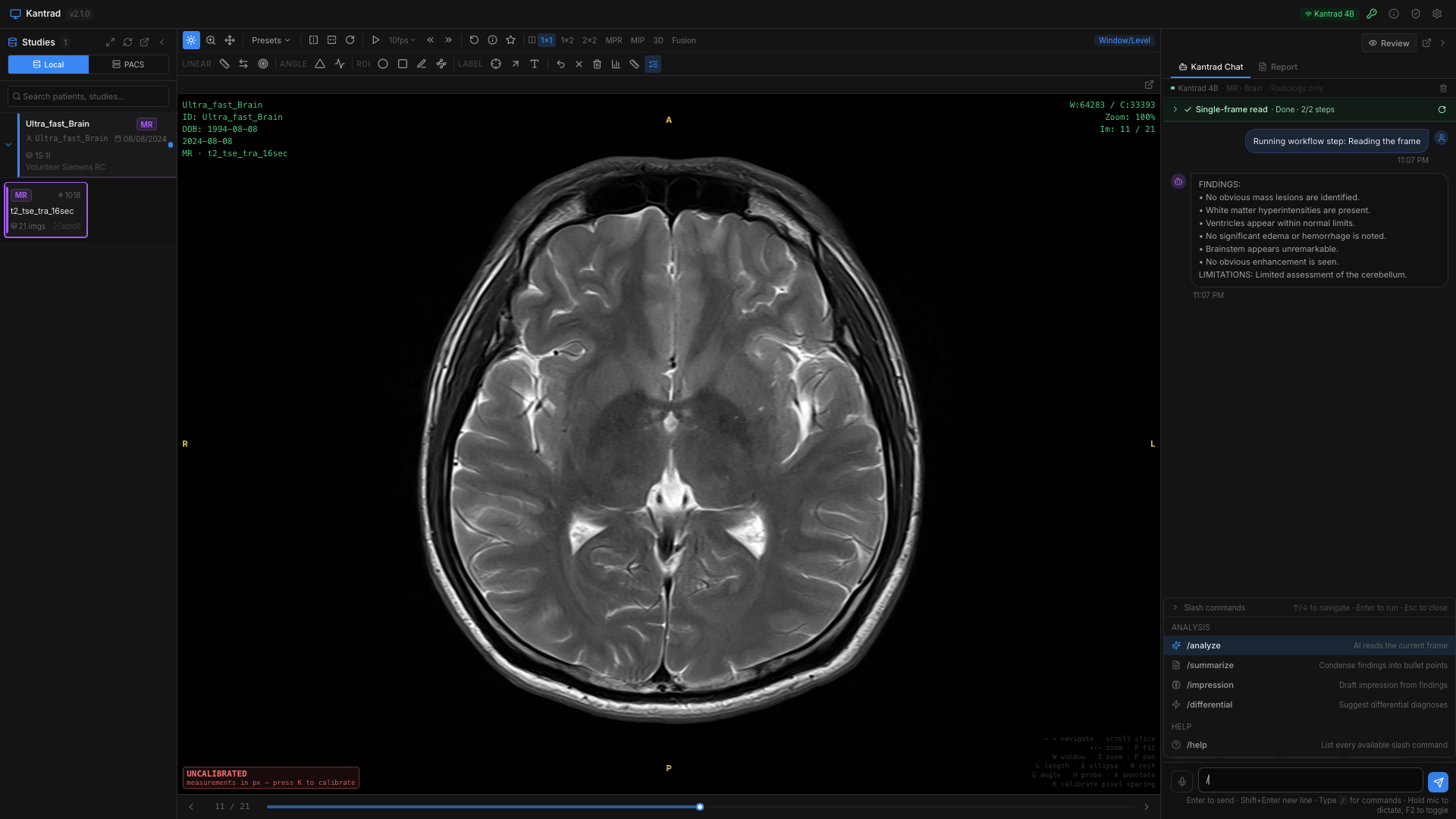
Ask the study questions

A vision model loaded with the active series answers questions about findings, suggests impressions, and drafts report sections — all on-device.

Study-aware AI
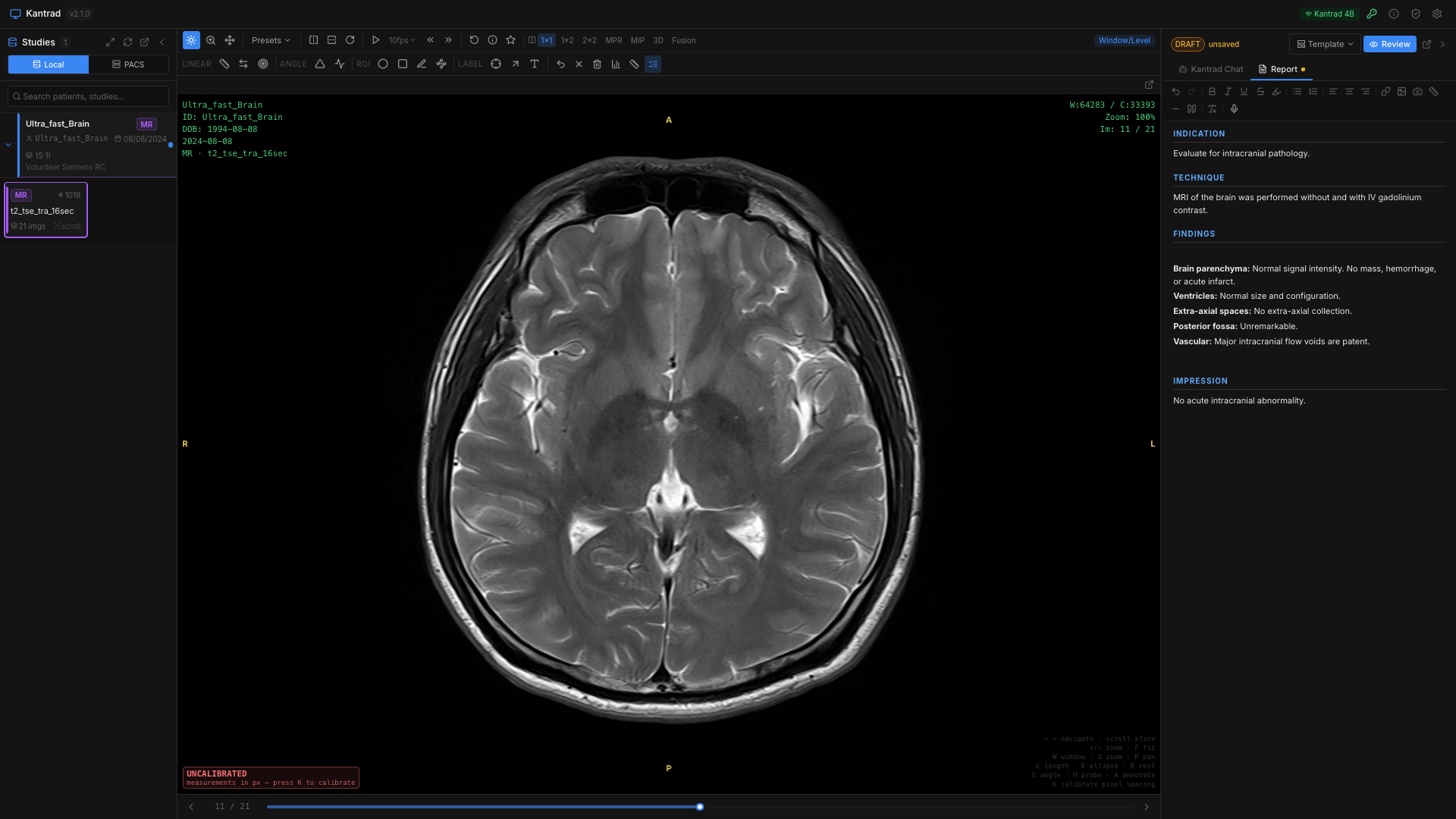
Structured reporting

Reports that match your modality

Built-in templates for CT, MRI, X-Ray, US, and PET. Voice-dictation, embedded measurements, and one-click PDF / FHIR export.

Structured reporting
Onboarding

Set up in three minutes

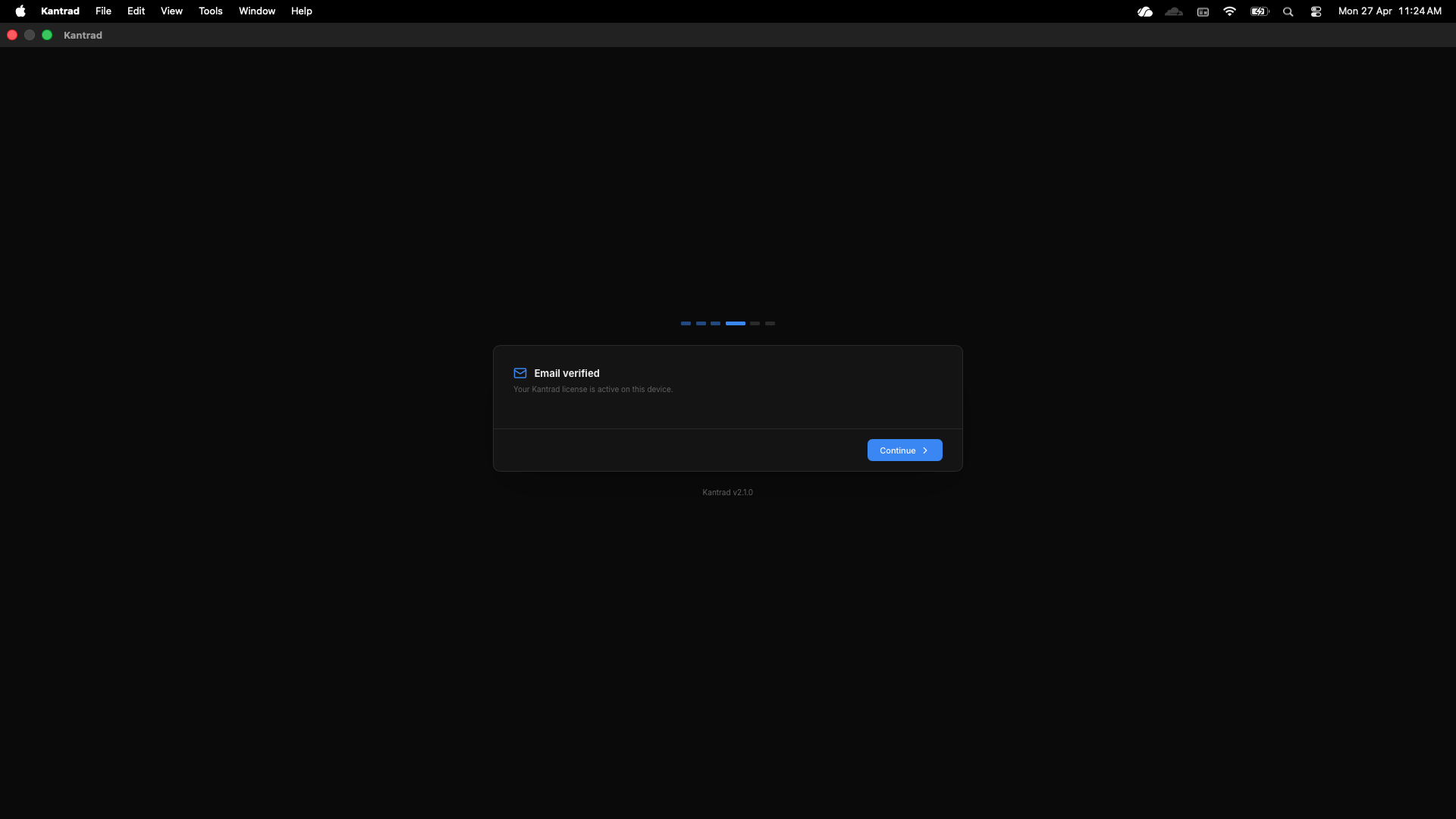
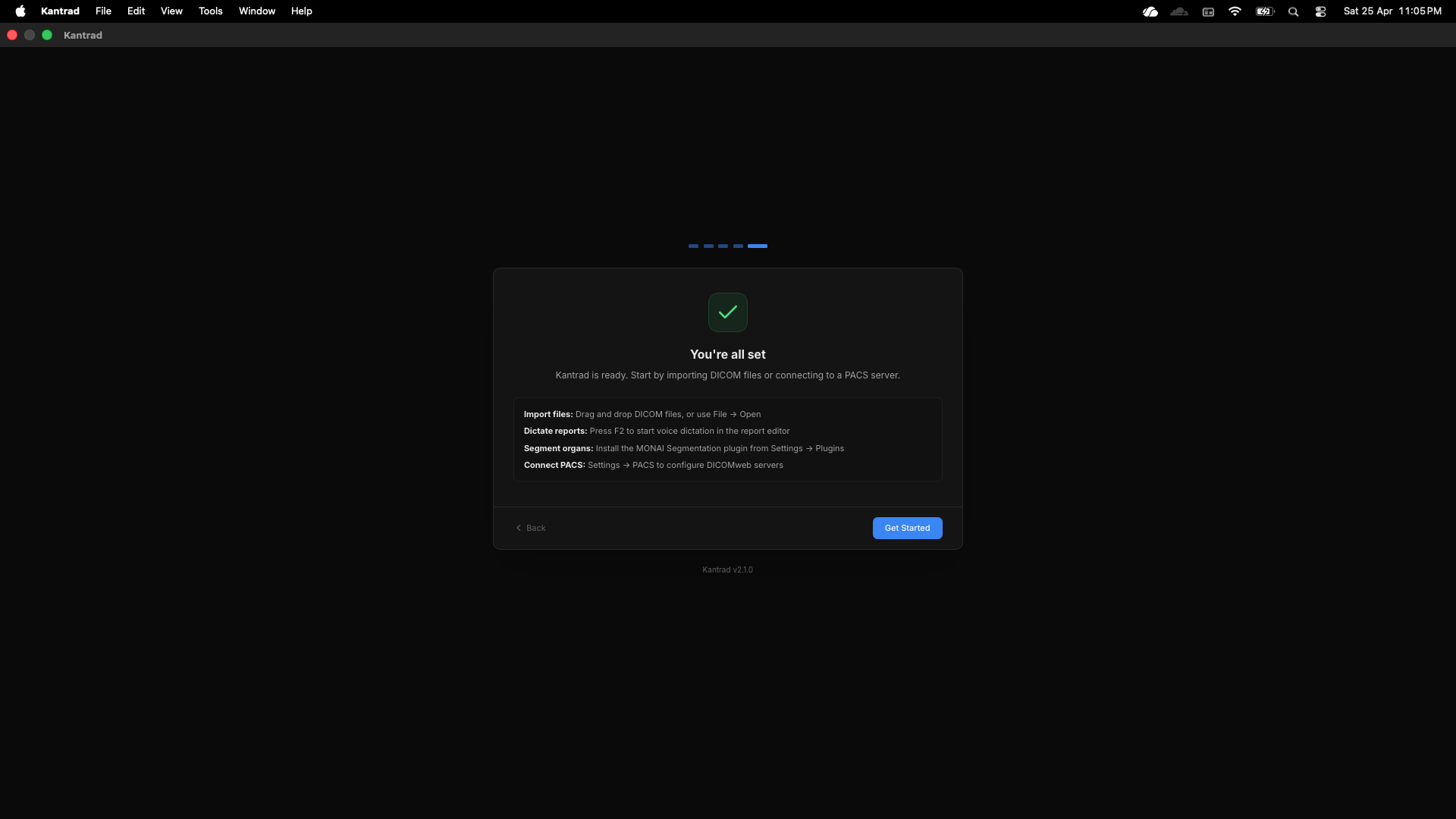
Verify your email, let Kantrad pull its on-device AI models once, and start reading.

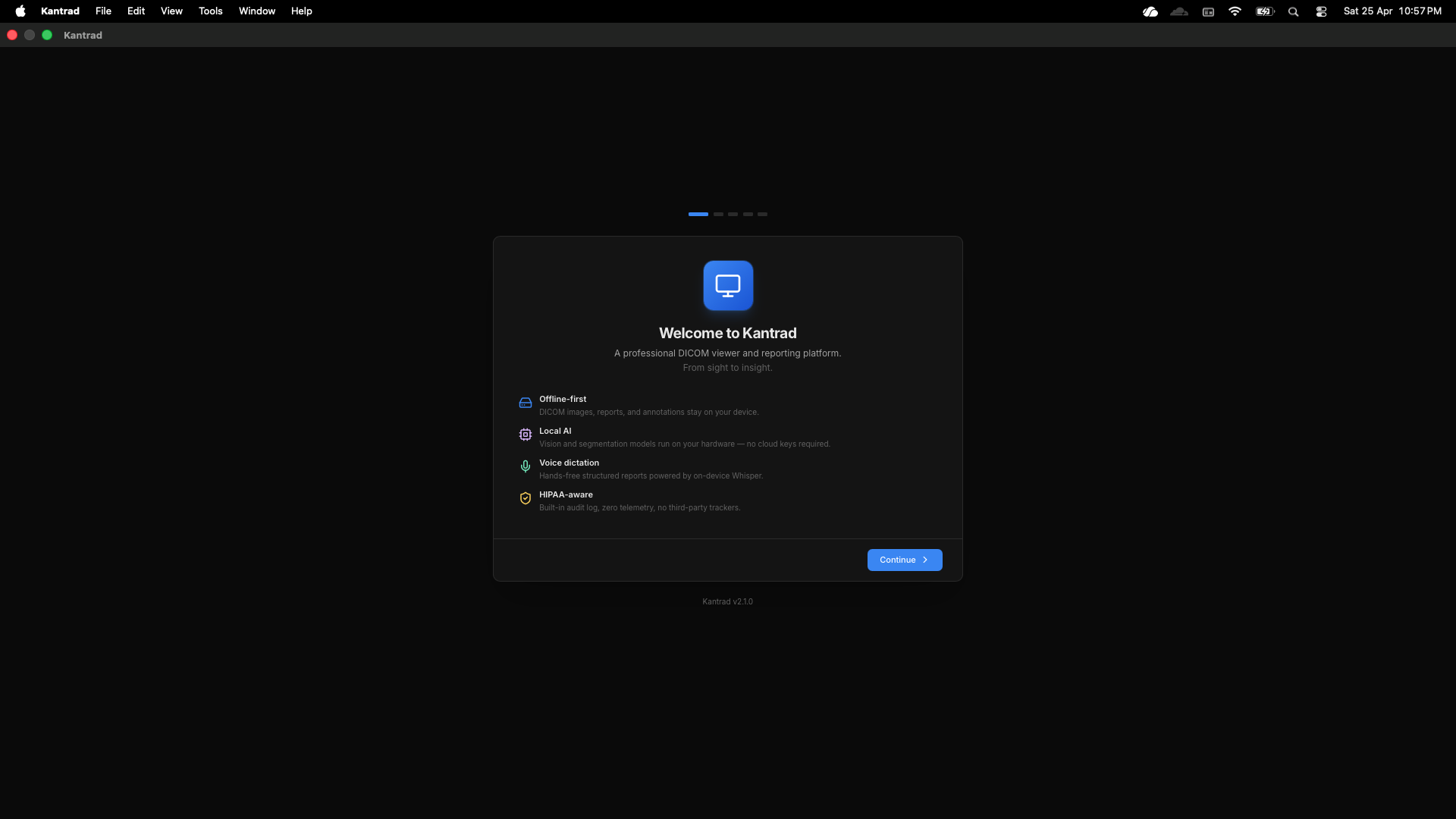
01
Welcome
Welcome
02
Verify
Verify
03
Ready
Ready

Your studies never leave your device.

DICOM data, reports, annotations, and audit logs are stored in a SQLCipher-encrypted local database. No telemetry, no analytics — the network is only touched when you explicitly query a PACS server or pick a cloud AI provider.

Read the privacy policy →
Get Started

Download Kantrad

Free for personal and institutional use. No account required to install — privacy terms are presented inside the app on first launch.

Kantrad is not a certified medical device — it must not be the sole basis for clinical diagnosis.